




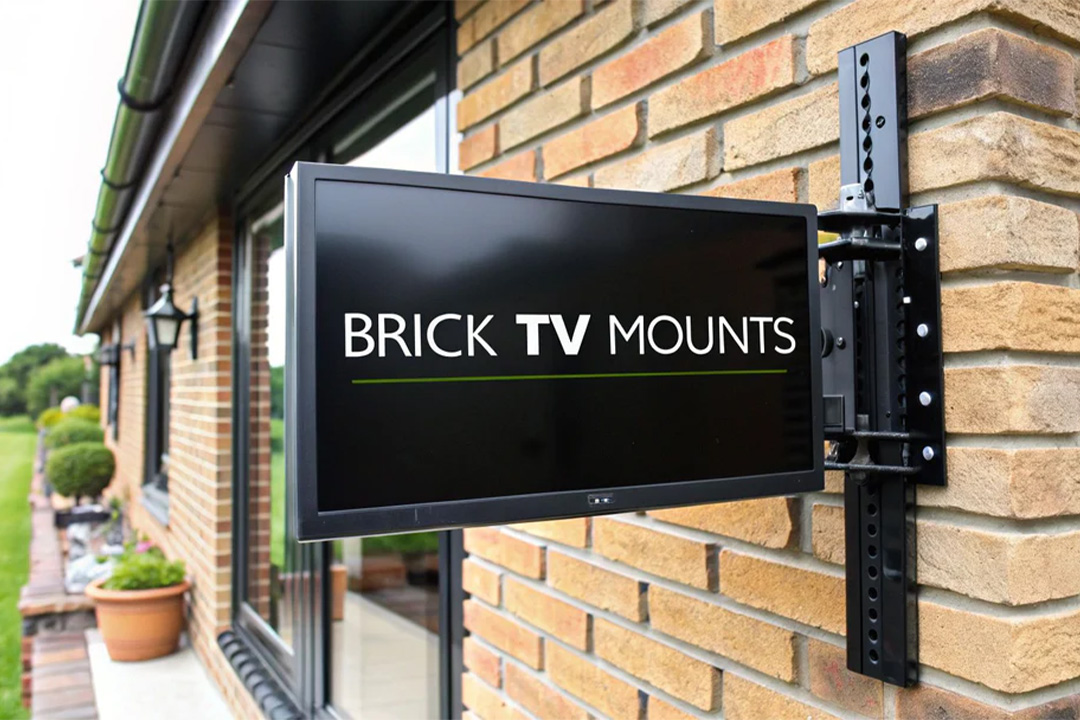
Best TV Mounts for Brick Walls A Definitive Guide
Putting a TV on a brick wall gives you that clean, minimalist look everyone wants, plus it’s rock-solid—but only if you use the right gear. The best TV mounts for brick walls aren’t just any old mounts; they’re built differently, usually with heavy-gauge steel and beefy masonry anchors made to grab onto a surface that doesn’t forgive mistakes.
Why You Can’t Just Use Any TV Mount on a Brick Wall
Hanging a TV on brick is a whole different ballgame than mounting it on drywall. With drywall, you’re hunting for wood studs to carry the load. A brick wall, on the other hand, is solid all the way through. While that sounds stronger, it creates its own set of problems that require special equipment.
If you cheap out on the mount or use the wrong hardware, you’re setting yourself up for a disaster. A falling TV is not only expensive to replace, but it’s a serious safety hazard for anyone in the room.
The big difference comes down to the material itself. Brick is tough but brittle. You can’t just power through it with a standard drill; you need a hammer drill and masonry bits to get a clean hole. More importantly, the anchors have to be designed specifically for brick or concrete. Those plastic anchors or screws you’d use for drywall won’t expand properly inside a brick, and the weight of the TV will pull them right out. This is why picking from the best TV mounts for brick walls isn’t just a good idea—it’s essential.
What to Look For in a Brick-Ready Mount
A mount truly designed for brick puts strength and proper hardware first. Before you click “buy,” make sure any mount you’re considering checks these non-negotiable boxes.
- Heavy-Gauge Steel Construction: The frame needs to be thick and rigid. Thinner steel can flex under the TV’s weight, which is a huge problem, especially with full-motion mounts that extend from the wall.
- Real Masonry Anchors: A quality kit will include concrete sleeve anchors or lag shields. These are specifically engineered to expand inside the drilled hole, creating an unshakeable grip in the brick.
- High Load Capacity: Don’t just match your TV’s weight—exceed it. Always choose a mount rated for significantly more than your TV weighs. This builds in a safety buffer for when you’re moving or adjusting the screen.
The number one reason TV mounts fail on brick is because of bad anchoring. Using the hardware meant for drywall is a guaranteed recipe for failure. Those anchors simply can’t create the friction needed to hold firm inside solid brick.
Ready to find a solution that’s actually engineered for safety? Explore our collection of TV mounts for brick and concrete walls.
Critical Factors Before Installing on Brick

Before you even think about drilling that first hole, take a step back. A careful assessment of your wall and gear is what separates a successful install from a costly, TV-smashing mistake. Not all brick walls are the same, and the integrity of yours is the absolute foundation for a secure mount.
Start by getting up close and personal with the bricks. Are they solid and whole, or do you see signs of crumbling, cracking, or flaking? The mortar is just as crucial—it should be firm and solid, not sandy or deteriorating. If the mortar looks weak, the wall is a no-go.
When you’re checking out your brick wall, one of the most vital checks is the importance of understanding load-bearing walls. This will directly influence the type of mount and installation method you can safely get away with. While most interior brick walls are decorative rather than structural, confirming this adds a massive layer of safety, especially in older homes where things might have changed over the years.
Essential Tools and Calculations
Mounting a TV on brick demands the right tools for the job. Your standard drill just isn’t going to cut it here. You absolutely need a hammer drill and a set of carbide-tipped masonry bits. This combination is non-negotiable if you want clean, precise holes without shattering the brick.
Next up, you have to play matchmaker with your mount and TV. Check the VESA pattern on the back of your television—that’s the standard screw-hole layout. Your TV’s manual will have the measurements (like 400x400mm), and you need to make sure the mount you buy explicitly supports that pattern.
Never, ever drill into the mortar. It’s the weakest point of a brick wall and simply doesn’t have the strength to hold the concentrated weight of a TV and mount. This is the fastest way to an installation failure.
Finally, do the math. Add your TV’s weight to the weight of the mount itself to get your total load. The mount you choose should have a weight capacity that significantly exceeds this number. This need for heavy-duty mounting solutions is a big reason why the global TV wall mount market, valued at around $2.5 billion in 2025, is expected to hit $4.2 billion by 2033.
Comparing the Top TV Mounts for Brick Walls
Choosing the right TV mount for a brick wall is about more than just checking off features from a list. It’s about matching the mount’s design to your room and ensuring it has the raw strength needed for a solid masonry installation. We’ll break down the three main types—Fixed, Tilting, and Full-Motion—and look at what really matters for each when you’re drilling into brick. Explore our complete collection of TV mounts for brick and concrete walls to see all the options.
Fixed Mounts: Simplicity and Strength
If you want the strongest, most straightforward option, a fixed mount is your best bet. These mounts sit almost completely flush against the wall, giving you that clean, low-profile look perfect for a dedicated home theater or any room where your seating is in a fixed spot.
The beauty of a fixed mount is its simplicity. Fewer moving parts mean greater rigidity, and they often feature a wider wall plate. That wide plate is crucial for brick because it helps spread the TV’s weight evenly across several points on the wall’s surface, reducing stress on any single anchor. When you’re shopping for one, pay close attention to the steel gauge and the quality of the included concrete anchors—that’s where the real strength lies.
Tilting Mounts: Glare Reduction and Ergonomics
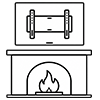
A tilting mount is the go-to solution when you need to hang your TV higher than eye level, like over a fireplace. It lets you angle the screen down, which not only improves the viewing angle but also saves your neck from strain and helps eliminate annoying glare from lights or windows.
For brick, the tilting mechanism itself needs to be rock-solid. You’ll want a model with a smooth but secure locking system that won’t budge or slip, even with a heavier screen hanging on it. While they offer more flexibility than a fixed mount, they still keep the TV close to the wall, maintaining excellent stability. They really are a fantastic middle-ground choice.
The right mount really comes down to how you use the room. A fixed mount is perfect for a controlled environment, but a tilting or full-motion mount is built for dynamic living spaces where your viewing angle is always changing.
Full-Motion Mounts: Ultimate Flexibility
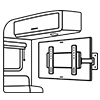
For total versatility, nothing beats a full-motion mount. These let you extend the TV from the wall, swivel it left and right, and tilt it up or down. They’re ideal for large, open-concept rooms, tricky corner installations, or any space where you need the screen to face different areas for different activities.
But all that movement comes at a cost: it puts a massive amount of stress on the mounting points. When the arm is extended, it acts like a lever, multiplying the force pulling on the anchors set in the brick. That’s why you absolutely cannot cut corners here. You need a mount with a heavy-duty, dual-arm design and oversized masonry anchors. The wall plate also needs to be wide enough to span multiple bricks, ensuring you’re anchored into the strongest parts of the wall. If you’re weighing your options, our guide on choosing between a TV wall mount or a stand can help clarify the decision.
To help you visualize how these mounts stack up, we’ve put together a quick comparison table focusing on the key specs for a brick wall install.
Add comment